Share nearby.Keep it private.
Privli lives in your menu bar or system tray, one click away. Files and your clipboard go straight to the devices around you: iPhone, Android, Mac, Windows and Linux. It even works with Android’s built-in Quick Share.
- No Internet
- No Account
- No Data Collection
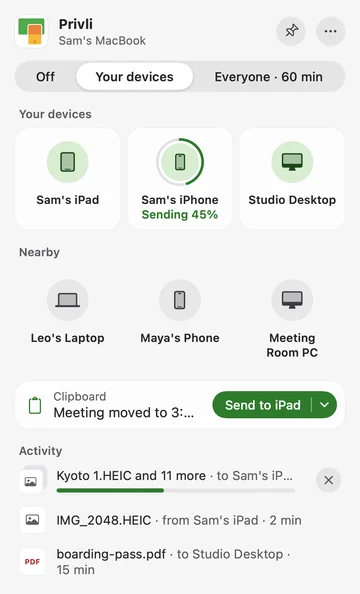
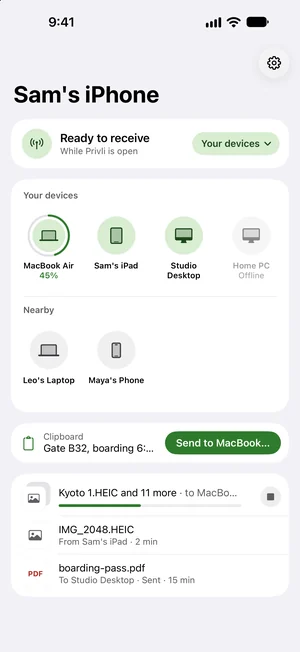
A lighter design
Always one click away
On a computer, Privli is a small window in the menu bar or system tray: your devices, people nearby and every transfer in one place. On a phone, it all fits on one screen.
In the menu bar
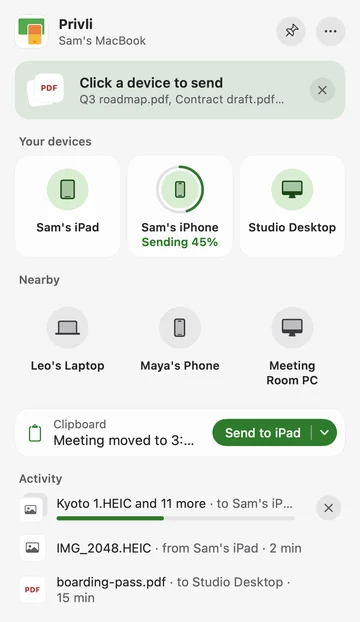
No Dock icon and no window to keep track of: Privli waits in the menu bar until you need it.
- Click its icon to see your devices, people nearby and every transfer in one small panel.
- Drop files on the icon, then click a device. Or press ⌃⌥V to send what you just copied.
- Pin the panel to keep it open while you drag files in from Finder.
In the system tray
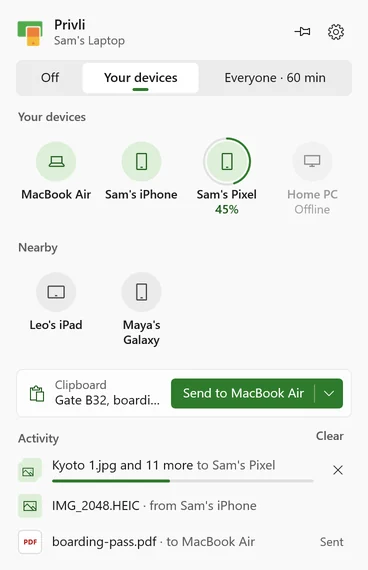
Privli waits in the system tray, out of your way until you need it.
- Click the tray icon for the flyout: your devices, people nearby, your clipboard and every transfer.
- Drop files on the flyout and click a device, or send from the Windows share menu in any app.
- Before anything comes in, a notification asks: Accept, Always accept or Decline. Progress shows there too.
In the tray, as a popover
On Hyprland, Sway, KDE Plasma and niri, the panel drops down from the bar. On other desktops it opens as a small window.
- Click the tray icon to open it; click anywhere else or press Esc to put it away.
- Drag files from your file manager onto a device, or right-click them in Files and choose Send with Privli.
- Requests and received files show up as desktop notifications.
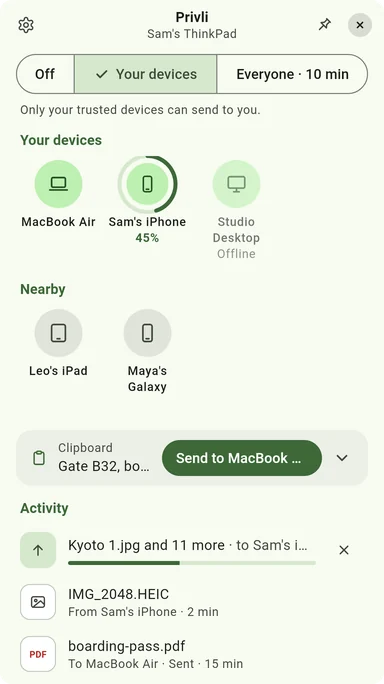
On one screen
Your devices and people nearby, all on one screen, on iPhone and iPad.
- Tap a device to send photos, files or your clipboard, or use the Share button in any app.
- Follow a transfer on the Lock Screen and in the Dynamic Island.
- Add Receive and Send Clipboard to Control Center.
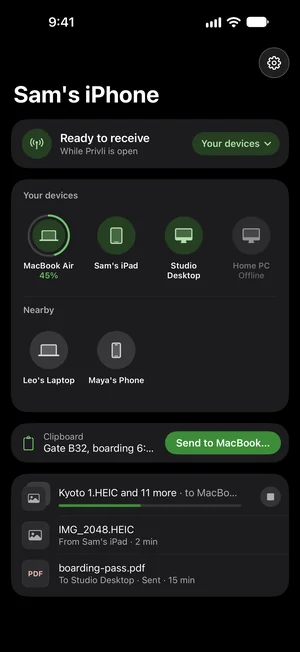
On one screen
Your devices and people nearby on one screen, in your phone’s own colors.
- Tap a device to send, or share from any app and Privli opens right over it.
- The Quick Settings tile shows who can see your phone. Tap it to open Privli over whatever you’re doing.
- Send your clipboard to one of your devices straight from Privli’s notification.
Why Choose Privli?
Everything your devices need to work as one
Choose who can see you
Off, Your devices, or Everyone for a few minutes. One tap, and Everyone turns itself off again.
Nothing comes in without your OK
Check the code once and choose Always accept. After that, your own devices get straight through, and everyone else still asks.
Copy here, paste there
Whatever you just copied is one click away from your other devices. Between your computers, it can even sync by itself.
Every Device, One App
macOS, iOS, Android, Windows, and Linux — and compatible with Android's built-in Quick Share, so you can share with phones that don't have Privli.
Any File Type
Supports photos, videos, documents, and any file type. No size limit.
The fastest way, on its own
No pairing: nearby devices simply show up. Privli uses Wi-Fi when you share a network and Bluetooth when you don’t, recovers by itself when either comes back, and retries a send that doesn’t get through.
Our Privacy Commitment
At Privli, privacy isn't marketing speak—it's our core value
Completely Offline
The app never connects to any servers. All data transfers happen on your local network.
Zero Data Collection
We don't collect any usage data, including so-called "anonymous data".
No Account Required
No registration needed. Use all features without providing any personal information.
Local Logs Only
All logs are stored locally. You decide whether to share them for troubleshooting.
Minimal permissions
Most Android file apps demand access to your entire storage and just promise not to read it. Privli never asks — you grant one folder, and the rest of your device is out of reach. Not by promise, by design.
Transparent & Trustworthy
Built on Google's open-source Nearby protocol, with a clear zero-collection commitment.
Why This Matters:
In an era where data is called "the new oil," too many apps make user data the core of their business model. We believe good tools should serve users, not treat users as products. Privli is funded by app purchases — never by selling your data.
Supported Platforms
Cross-platform file sharing that makes all your devices work together seamlessly
brew install --cask local1stdotapp/tap/privliCompatibility Tip:Privli is fully compatible with apps supporting the Quick Share protocol, including Quick Share for Windows and Linux apps like Packet.
Sharing with a stock Android phone? Ask them to set Quick Share visibility to "Everyone" so their device appears in Privli.
Frequently Asked Questions
Everything you might want to know about Privli